Notifications Framework
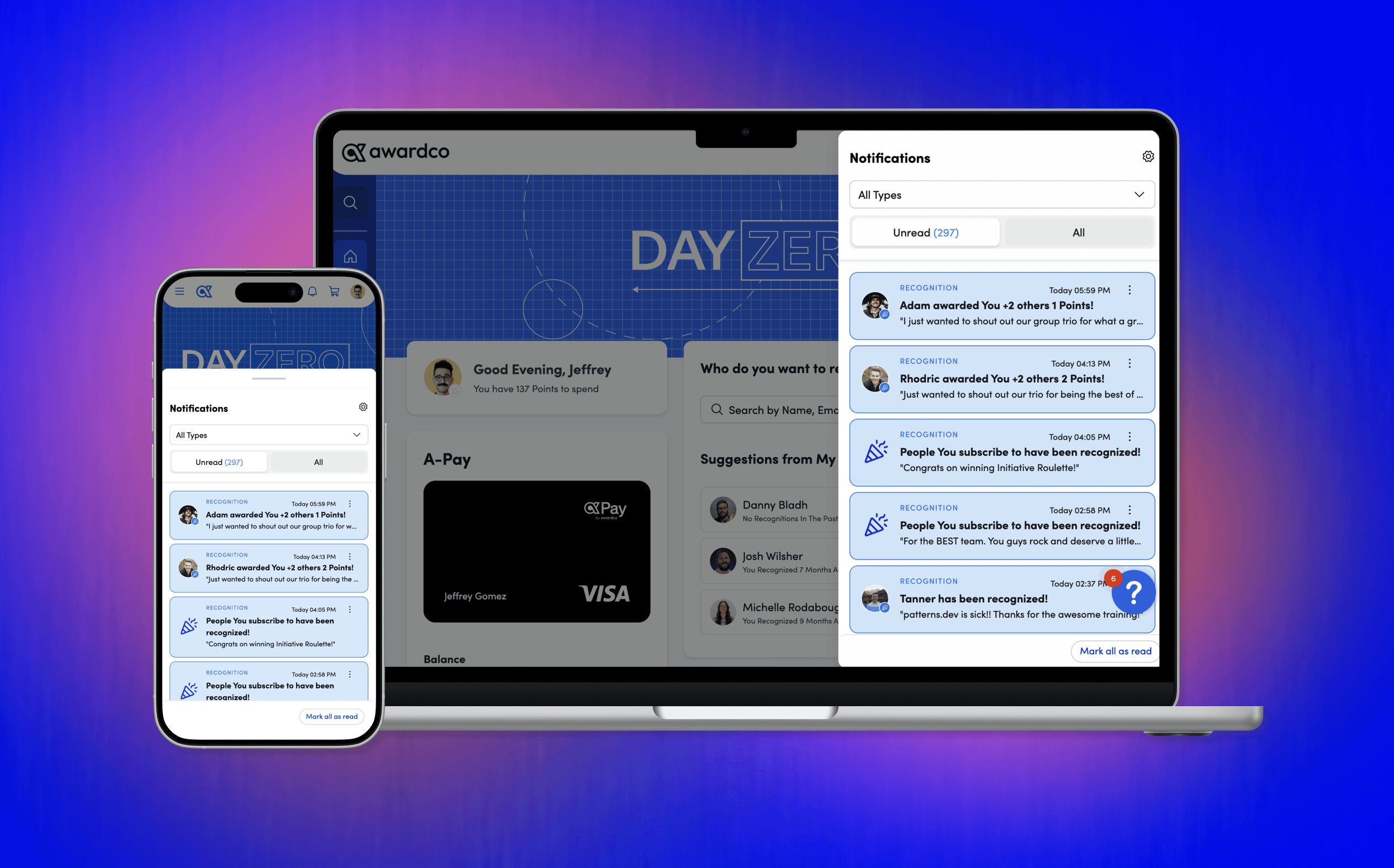
Designing a full notifications experience across all client users. Focused on providing a transparent and user controlled preference framework that delivers timely communication exactly where users are - other systems.
00
problem
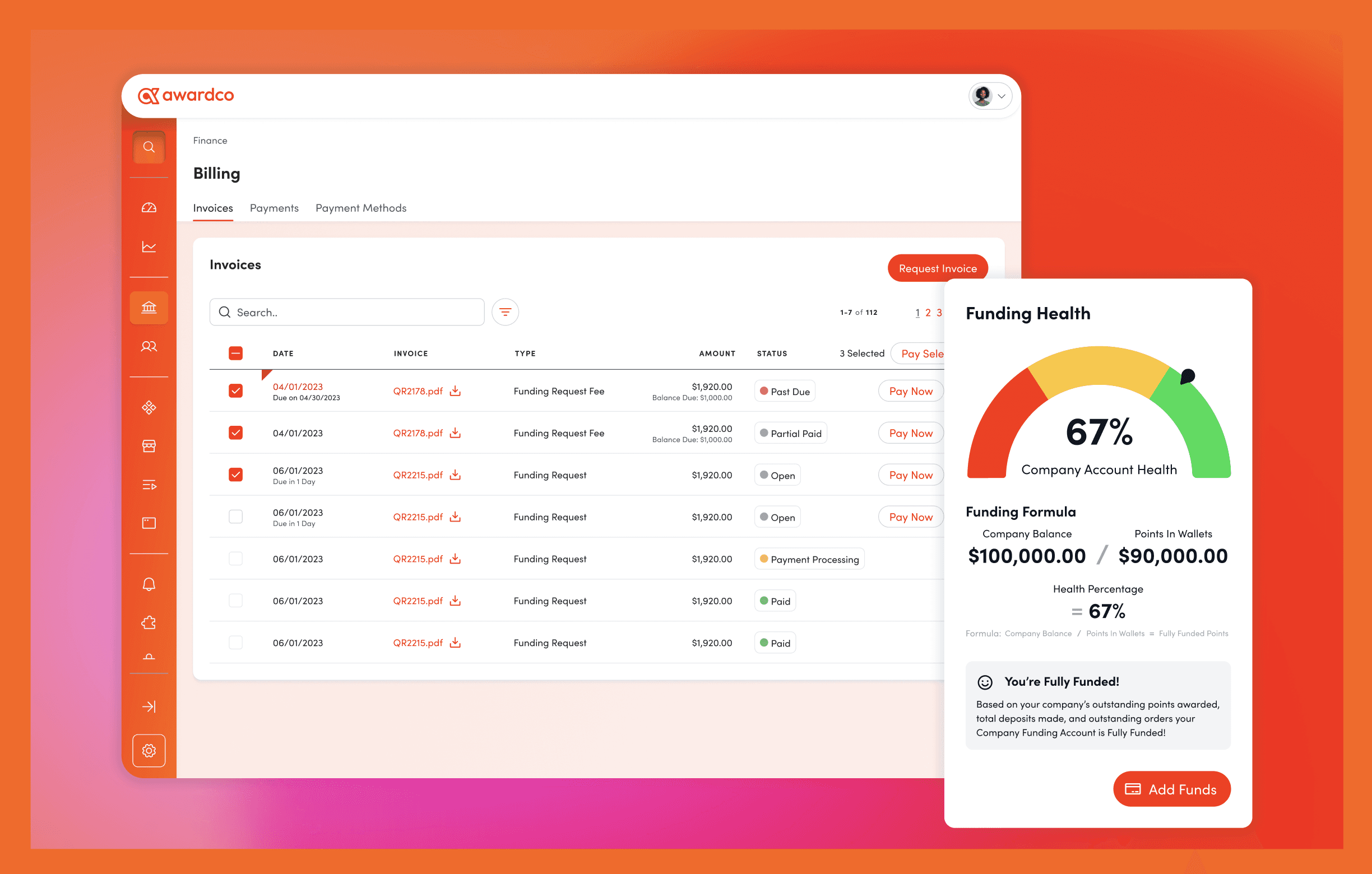
When a major enterprise client added notifications as a contractual requirement and the request for purchase (RFP) audit revealed no user control whatsoever, our team faced a familiar problem: build something that looks and feels like a checkbox item, or build something that actually works. We, obviously, chose the latter. Focusing on problems to solve: 1. No user agency. All notifications fired with no ability to opt out. Email fatigue was real, unmeasured, and growing. 2. No admin visibility. Company level notification toggles were nonexistent. 3. A brittle back end. Individual teams couldn't add new notification types without touching shared code, creating developer bottlenecks and UX inconsistency. 4. Mobile was an afterthought. The user settings page didn't render correctly on mobile - a truly unacceptable state for a platform increasingly accessed on phones.
solution
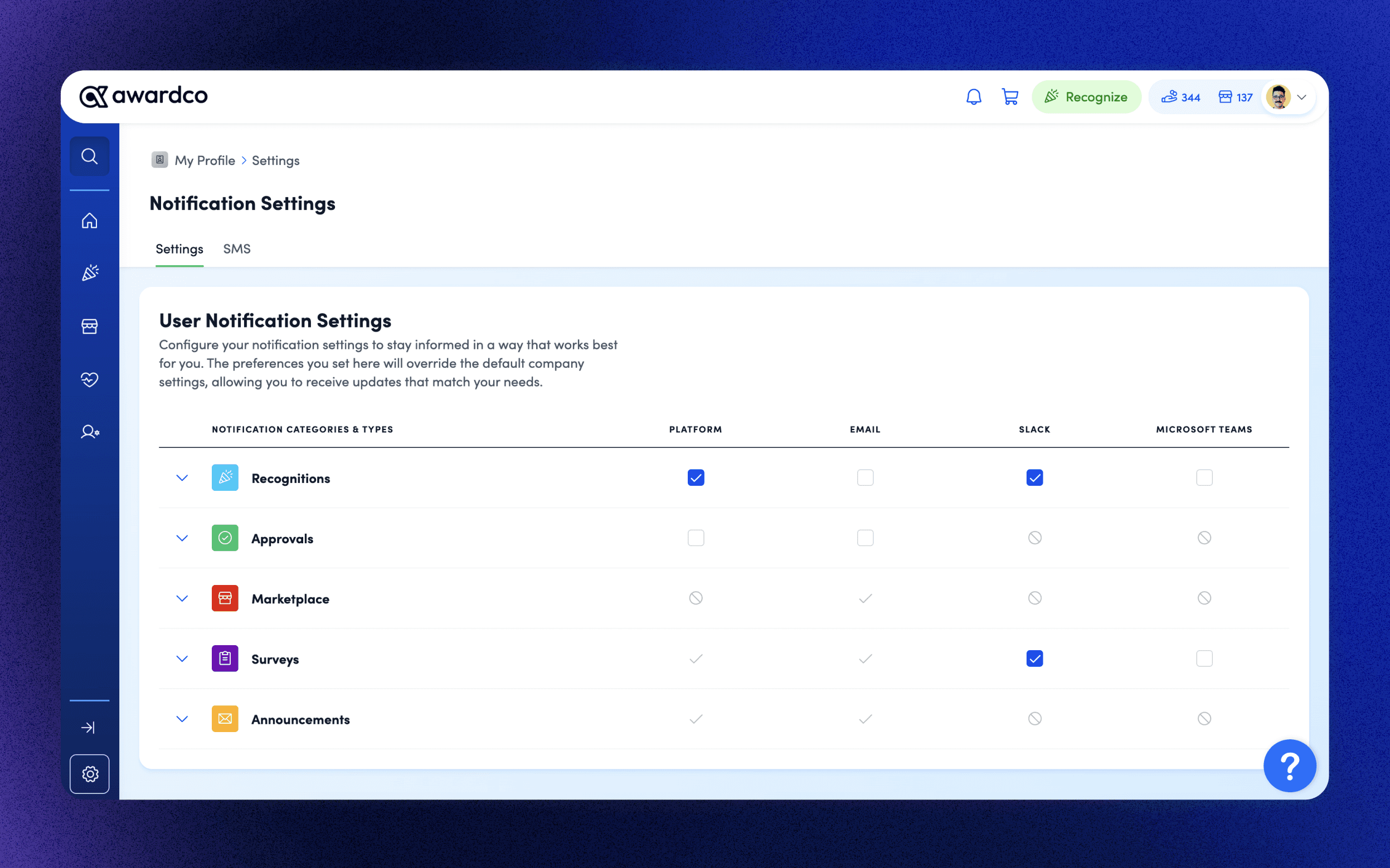
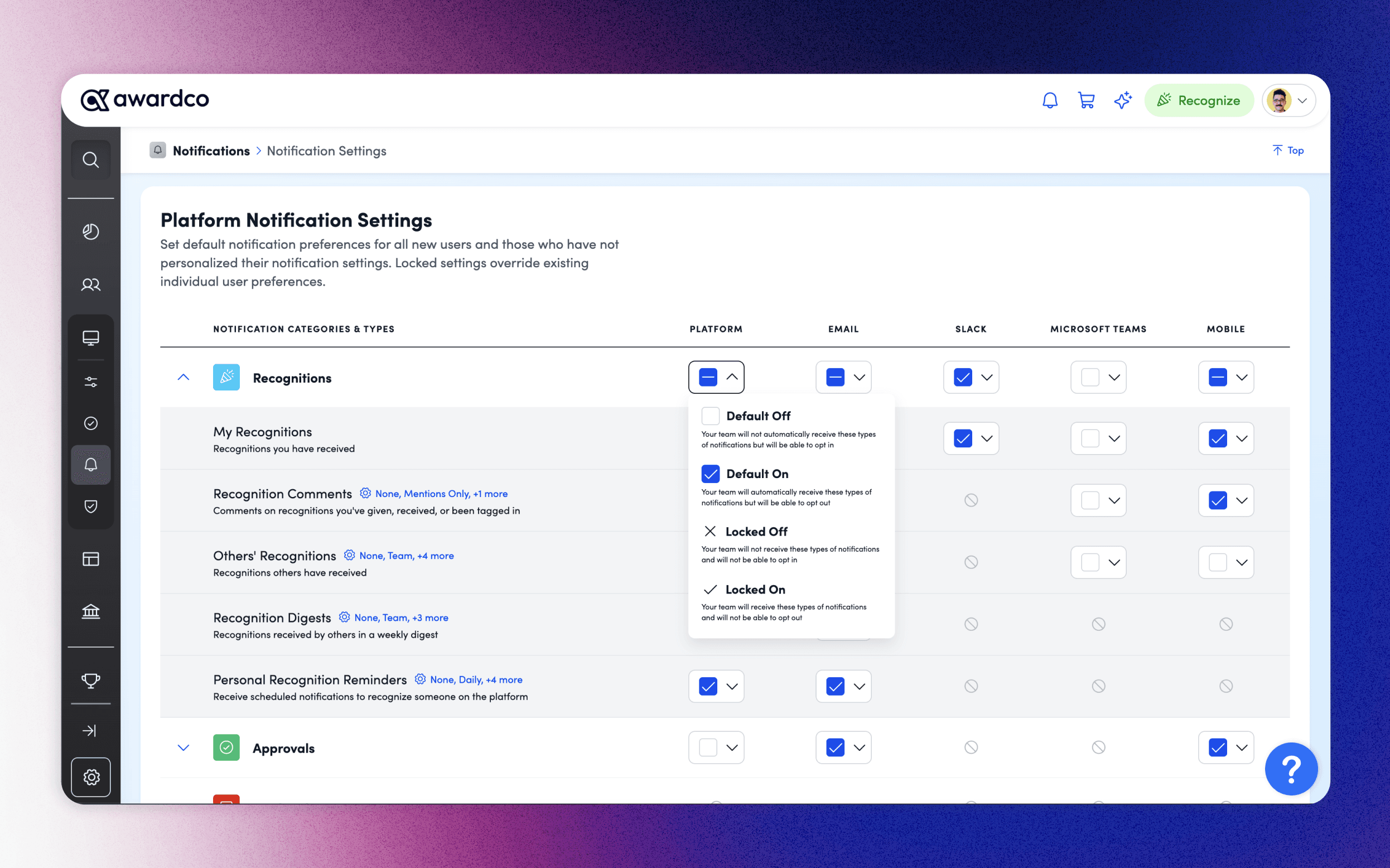
Grouping triggers, not individual notifications: Rather than exposing every notification trigger as a separate toggle (which would overwhelm users), I grouped triggers by interaction type: recognitions, redemptions, system alerts, etc. This reduced cognitive load while preserving meaningful control, and it aligned with how the backend "trigger checker" framework was being architected. Locked vs. unlocked states: Essential notifications (forgot password, gift card activation, order confirmation) needed to remain non-negotiable. I designed a clear visual language distinguishing locked/essential notifications from customizable ones — giving users clarity without exposing system complexity. Admin-to-user inheritance: The admin settings page established company defaults; the user settings page let individuals override within those bounds. This hierarchy required careful visual encoding, I iterated through modal approaches (replacing drop downs per the Beta Enhancements PRD) and a sticky header pattern to solve a scroll-coverage bug with the channel headers.
Business Impact & Metrics:
The launch satisfied enterprise client's contractual requirement which directly influencing enterprise deal close and retention. And by making the notification preference hierarchy legible to both admins and users, the settings surface now scales across all six channels without requiring CS involvement for basic configuration changes.
Currently, gaps constrain our ability to measure these new tools to the fullest extent. What I'm continuing to watch as this feature matures: notification click rate, link activation rate, time between launched notification and behavior completion, etc.
year
2024
timeframe
5 months
tools
Figma | Maze
category
UI/UX
01

02
see also